


The whole trip, in your guests' pockets.
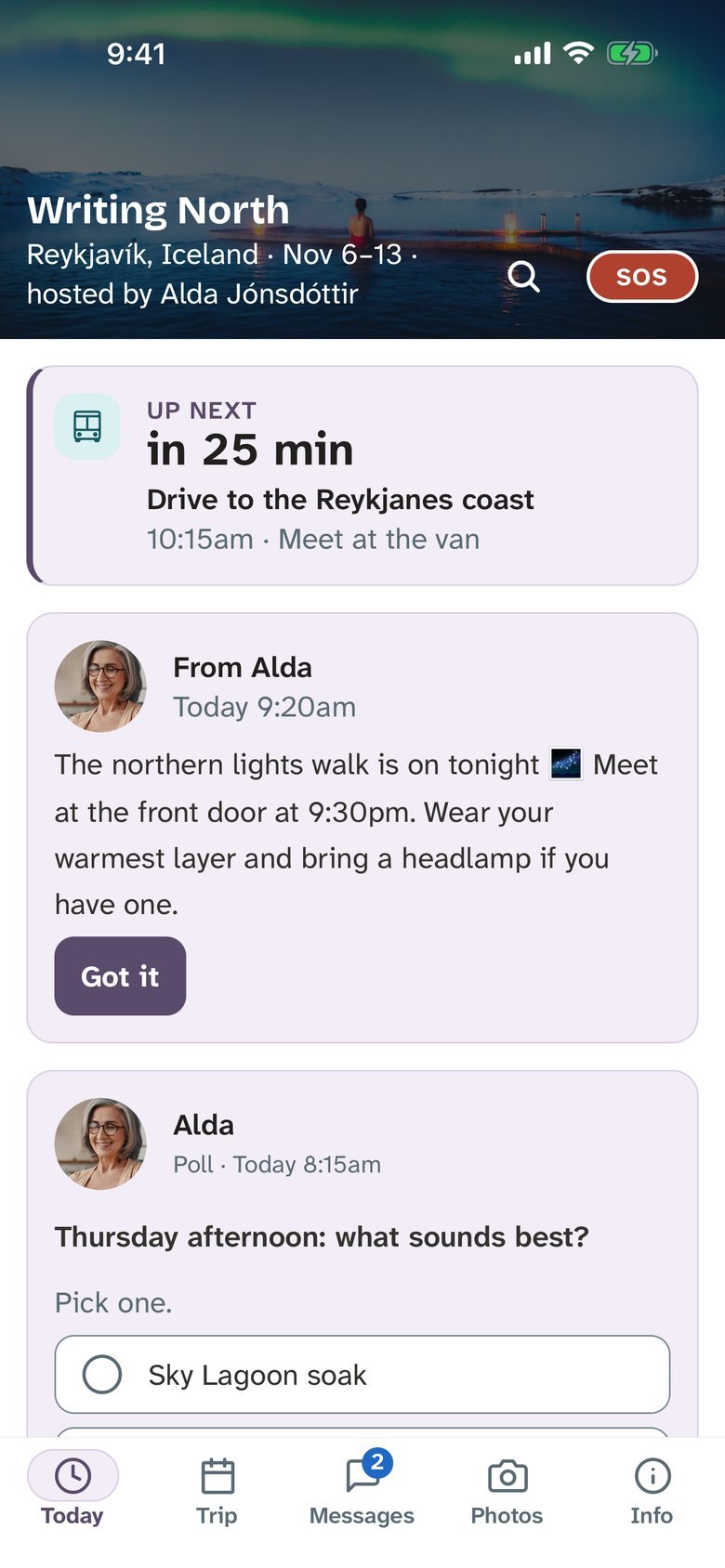
en route is the trip app you give your guests. The schedule in the trip's own time. The address, the Wi-Fi, the house rules. One place for messages. And an SOS that reaches you, even at 2am.
Free to build and try with up to 3 guests. Joining a trip? See what guests get.

On a computer? Scan with your phone to get the free app.
What is en route?
en route is a group travel app that retreat hosts, group-trip organisers, travel advisors and tour operators give to their guests, for trips of about 8 to 75 people. Each guest gets the schedule in the trip's own time zone, the key info, one group thread and a private line to the host, a shared photo album and an SOS button, and it works with no signal. Setting up a trip is free; you pay once per trip, from $149 for up to 8 guests ($99 for Hosting Guild members), with no subscription, and guests never pay.

It looks like your trip, because it is.
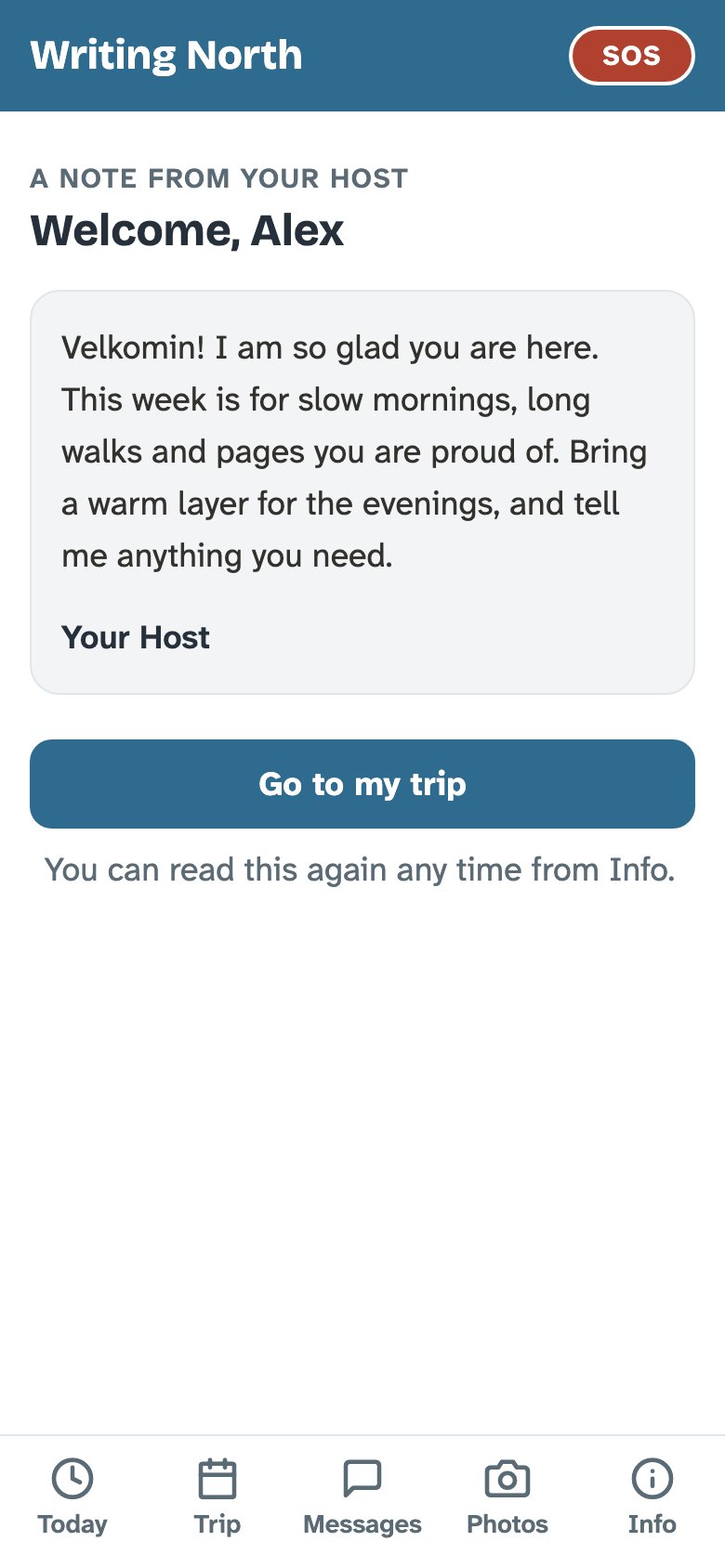
Put your own cover photo at the top of Today. Pick from 17 trip colours or enter your own, with light or dark text to match. Choose a display font, add your logo, and write a welcome note guests read the first time they open the trip.
You set it up once. Your guests stop asking where to be.
For hosts
Retreat leaders and group-trip organisers with 8 to 75 guests.
- Bring in the itinerary you already have: PDF, Word, Excel, Google Doc or Sheet
- Send one announcement and see who tapped "Got it"
- Every guest's dietary needs, emergency contact and flights before anyone packs
- Quiet hours: private messages wait until morning, SOS still gets through
- Your cover photo, colour and welcome note on every guest's phone
For guests
Your host sent you a link. Here's what's behind it.
- Today's plan at a glance, and the whole trip a tap away
- Times in the trip's time zone, so your phone can't get it wrong
- Address, Wi-Fi and house rules in one card, saved for when there's no signal
- One shared photo album for the whole group
- A read-only share link for anyone not on the trip
An SOS that's easy to find and hard to hit by accident.
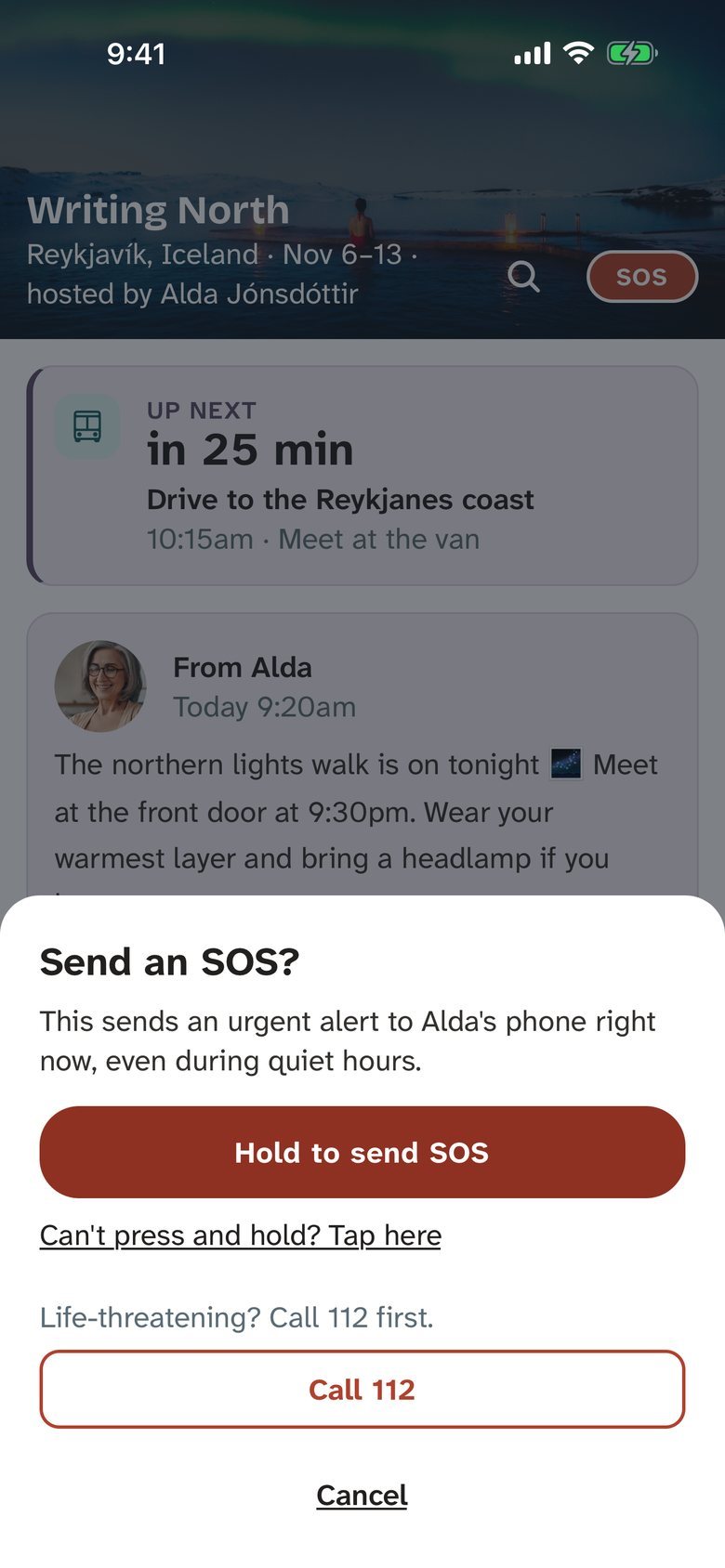
A small SOS sits in the corner of every screen. Using it takes three deliberate steps.
- Tap SOS.
- Read the confirm sheet. It names who it will reach.
- Press and hold for two seconds. Let go early and nothing happens.
Your phone gets an alert right away, even in quiet hours. The sheet also shows the local emergency number for where the trip is that day: 112 in Iceland, 999 in the UK, 911 in the US. Pressed it by mistake? "Cancel — I'm OK" calls it off.
SOS is for the urgent stuff that isn't a 911 call: a guest locked out late at night, a burst pipe, someone lost on a hike. For fire, a medical emergency or anything life-threatening, guests call the local emergency number first.
Optional: SOS phone calls. Turn them on and en route also rings you, then you again a minute later, then the next host on your list, until someone presses 1. Leave them off and every host still gets the alert in the trip app.
Coming soon: SOS texts, once US carriers approve our texting.
Calm by design.
Works with no signal
The trip is saved on the phone. On a boat, a mountain or a farmhouse with patchy Wi-Fi, the schedule and key info are still there.
The trip's own time
"All times are Iceland time." Guests never do time-zone maths, and a phone that hasn't switched over can't move breakfast.
One shared album
Everyone adds their photos to one album for the trip, so the group goes home with the same pictures.
One group thread
Plus a private line to the host. No guest-to-guest direct messages. Anyone can report a message or photo, or hide a guest they'd rather not see.
"Got it"
Announcements carry a "Got it" button. You see who's read it and who hasn't, by name.
Quiet hours
Set them per trip. Private messages to you wait until morning. SOS always gets through.
Three stops.
- Before the trip
Set it up in the hosting team workspace
Bring in the itinerary you already have, or start from the template. Add the key info, your team and who SOS reaches. Try it first with a practice trip.
- A few weeks out
Invite your guests
Each guest gets a link. They fill in the pre-trip form: dietary needs, an emergency contact, how they're getting there and home.
- On the trip
Run it from your phone
Announcements, messages, arrivals and SOS. The schedule is already in every guest's pocket.
Questions
Do my guests have to download an app?
We recommend it, but no. The free en route app is on the App Store and Google Play, and it's the best way to take part: notifications on the phone, and the trip is there with no signal. Guests who can't install apps can use en route in a web browser instead; everything works there except phone notifications.
What size of trip is it for?
Retreats and group trips of roughly 8 to 75 guests. A writing week in a farmhouse, a yoga retreat in Costa Rica, a board-game group taking over a cabin. Over 75 guests, ask us.
Can guests message each other privately?
No, on purpose. There's one group thread for everyone and a private line from each guest to the host. That keeps the trip's conversation in one place.
What if a trip crosses countries, or goes to sea?
Each day can have its own country and time zone, including days at sea and an "all aboard" time on port days. Guests see the emergency number for where they are that day.
Who's behind en route?
en route is made by hosted/trips, from the people behind The Hosting Guild. It's published by SRALL, LLC.